


|
|
|
|
|
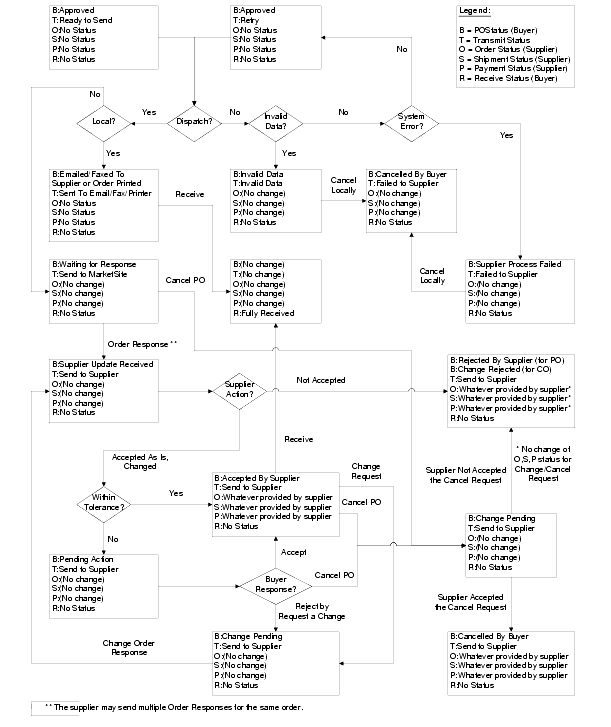
This Order state diagram gives an in-depth look at the state transitions that take place within Procurement in response to Order choreography events. It all starts when a Shopping Cart is submitted (or passed final approval if approval is required) and one or more orders, as determined by the Shopping Cart split rules, are created. Each order begins with a Buyer Status of Approved, Supplier Status of No Status and a Transmission Status of Ready To Send.
After an order is created it is dispatched to a supplier contact via email, an internal contact via email, to FAX or to MarketSite. The dispatch method is configurable for each supplier at the buying organization level. Once the order is dispatched, it may take several different paths depending on the subsequent buyer and supplier actions. The Supported Choreographies and Business Scenarios sections of this document are dedicated to describing the valid state transitions.
